
 Couple Quiz
 Web Trap
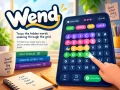 Wend Game, Play Free Online Word Puzzles
 Snake
Snake
 Play Wordle Online Free
 Play 2048 Online Free
 2048 Cupcakes
 Cupcake Drop
 Free Klondike Solitaire Online
 Spider Solitaire - Game Online
 Play Sudoku Online
 Tic Tac Toe
 Chess
Chess
 Ludo
Ludo
 Jigsaw Puzzles Online
 Rung
Rung
 Getaway
 Minesweeper
 Water Sort Puzzle
 Block Drop Classic
 Reaction Time Test
 Teen Patti
 Carrom
 Mahjong Solitaire
 Sky Flap
 Brick Breaker
 Bubble Shooter
 FreeCell Solitaire
 Snakes & Ladders
 Memory Match
 8 Ball Clash
 Arrow Puzzle
/
0:00
How to Play
- Find every hidden word. Each level hides a few words on the letter grid — the pills above the grid show one dot per letter.
- Drag to trace. Press a letter and drag across connected tiles — up, down, left or right (no diagonals) — in reading order. Release to submit.
- A correct word locks in with a coloured trail and a check mark. Cleared letters can't be reused.
- Highlight to plan. Even if it isn't a full answer, your trace stays marked — and each new mark gets its own colour. Highlight parts like air and plane separately to help you spot airplane, then trace the whole word to solve it.
- Tap a highlighted letter to remove just that mark — your other highlights stay put.
- Stuck? Tap Hint for a nudge, or Restart to clear the board. Solve every word to clear the level.
Level
Time
Best
🎉 You finished every level!
How to play
How to play Wend
- Goal: find every hidden word on the letter grid. The boxes under the grid show how long each word is.
- Trace: words bend from tile to tile — up, down, left or right, never diagonally — and must be traced in reading order.
- Lock in: a correct word locks in with a coloured trail. Its letters can't be used again.
- Plan: a trace that isn't a word stays highlighted in its own colour, so you can mark parts like "air" and "plane" before tracing "airplane".
- Stuck? Hint gives you a nudge; Restart clears the board.
Controls
- Drag Press a letter and drag across the tiles; let go to submit the word.
- Swipe On a phone or tablet, swipe your finger along the letters.
- Tap Tap a highlighted letter to remove just that mark.
Tips, FAQ & more about Wend Game, Play Free Online Word Puzzles